



OverShield® Calculation Channels
What Are Calculation Channels?
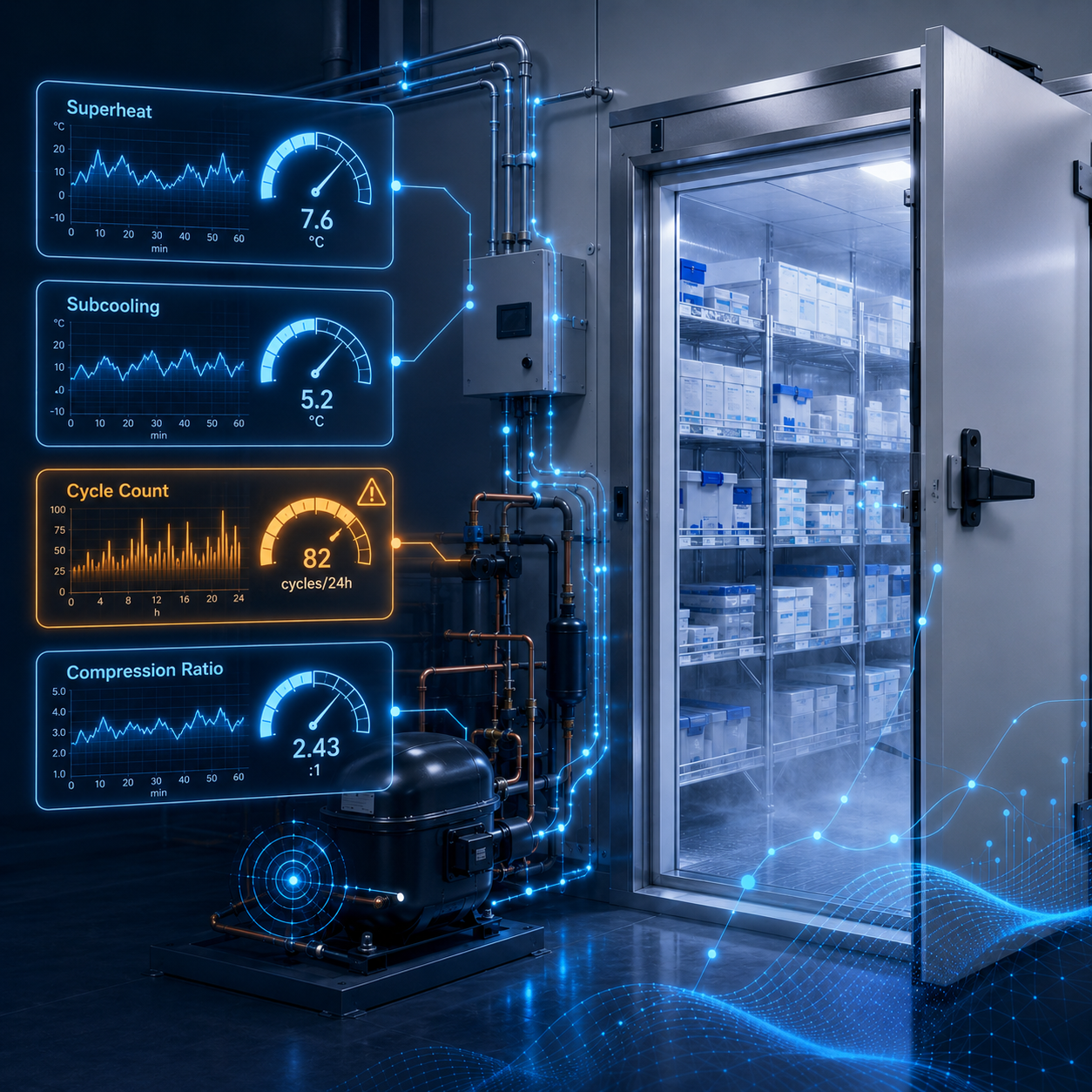
Physical sensor readings (temperature, pressure, electrical current, etc.) tell you what is happening at specific locations inside a refrigeration unit. But rarely do they provide the big-picture insight needed to fully diagnose the root cause when a problem inevitably develops. A discharge pressure reading, for example, is useful data, but a reliability engineer wants to know the compression ratio, the refrigerant superheat, or how today’s pressure compares to the same unit on a cool morning in March. Bridging that gap between raw data and real insight is exactly what OverShield Calculation Channels do.
A Calculation Channel (or “Calc Channel”) is a user-defined formula that takes one or more sensor readings as inputs and produces a new, derived output. For example, consider a physical sensor that reads the suction pressure on a compressor. A calc channel can be created that uses that pressure data to calculate the saturation temperature, which is a valuable insight for a refrigeration technician.
From OverShield’s perspective, Calc channel outputs behave exactly like any physical sensor channel. They can trigger alarms, appear in trend reports, feed into dashboards, and even serve as the input to further calculations.
Why Calculation Channels Matter
Refrigeration equipment generates a steady stream of sensor data, but the metrics that actually indicate equipment health are almost always derived values. Refrigeration technicians think in terms of superheat and subcooling. Compressor specialists track compression ratios. Facility managers want to know whether a freezer is performing differently today than it did six months ago, after adjusting for the outside temperature.
Without calc channels, answering these questions requires exporting data to a spreadsheet, running calculations manually, and checking results against alarm thresholds — a slow, error-prone process that defeats the purpose of an early warning system. Calc channels solve this by computing those derived signals automatically, on a fixed schedule, and making the results available across OverShield.
Common calc channel applications include:
- Converting refrigerant pressure readings into saturation temperatures
- Computing superheat, subcooling, and compression ratios for HVAC-R equipment
- Compressor cycle rates (e.g., cycles/day, cycles/week)
- Unit conversions
- Calculating rolling averages or rates-of-change over recent time windows
- Building compound alarm conditions that trigger only when multiple independent factors are simultaneously true
How Calculation Channels Work
The Processing Cycle
Every five minutes, OverShield’s calculation engine captures data from every physical sensor and every active calc channel. The engine first resolves the current value of each input, applies the equation, and writes the result to the same storage layer used by the physical sensors. The five-minute cadence matches the standard sensor sample interval, meaning calc channels stay in sync with the data they depend on without introducing delay.
Inputs: What a Calc Channel Can Read
A calc channel can draw from several types of input simultaneously:
- Live sensor readings — the most recent value of any physical channel on the asset
- Other calc channels — derived signals can chain together, with each layer building on the one before
- Historical aggregates — rolling averages, minimums, maximums, standard deviations, or rates of change over a configurable time window (e.g., the average superheat over the past hour)
- Baseline statistics — long-run means and standard deviations captured during a known-healthy operating period
- Fixed constants — numerical values baked into the equation, such as refrigerant curve coefficients or a reference temperature
Outputs: Where Results Go
Each calc channel writes its result to OverShield’s standard data layer. Administrators can independently control three output behaviors:
- Alarm monitoring — the latest result is always available for alarm rule evaluation, so threshold or statistical alarms can be applied to a derived value the same way it would be applied to a physical sensor.
- Historical storage — when enabled, every computed result is written to the time-series database, making it available for trend reports and also as the input to further time-windowed calculations.
- Trend collection — when enabled, the channel appears in OverShield’s trend builders for visualization and reporting.
Execution Order and Chained Calculations
When calc channels rely on each other (e.g., a superheat calculation that depends on a saturation temperature that was computed from a pressure reading), the order of evaluation matters. It is important to make sure calculations are executed in the proper order to achieve the correct results. This chaining mechanism makes it possible to build arbitrarily sophisticated multi-layer calculations, all evaluated automatically within the same five-minute cycle.
What Kinds of Calculations Are Supported?
OverShield calc channels support six families of calculation logic, covering the range from simple unit conversions to complex piecewise refrigerant property curves. The platform auto-detects which type applies based on the equation shape.
- Math template
- Polynomial (SPOLY)
- Multi-Segment (MPOLY)
- Linear Transfer (LTF)
- Boolean
- Superheat / Subcooling / Compression Ratio
Integration Across OverShield
Calculation Channels feed directly into OverShield’s core capabilities:
- Alarms — A calc channel can be referenced by any alarm rule in OverShield exactly as if it were a physical sensor.
- Trend Reports — Calc channel data appears in OverShield’s trend screen alongside physical sensor data, enabling charts of derived metrics like superheat, subcooling, and rolling averages over any historical period. Behaviors can be compared across seasons or maintenance events and included in weekly reports.
- Anomaly Detection & Recommendations — OverShield’s machine-learning layer treats calc channels the same as ordinary signals. These calculated channels are normalized by removing the ambient temperature adjustment, so they typically produce more accurate anomaly detection than the underlying raw sensor. This makes them the preferred inputs for anomaly detection on equipment where seasonal variation is significant.
Creating Calculation Channels
Calc channels can be created by OverShield administrators and managed through OverShield’s Asset Management interface. The process requires no software development skills, and newly created channels become active at the next five-minute evaluation cycle. No restart or deployment step is required.
Summary
Calculation Channels are one of the most versatile tools in the OverShield platform. They close the gap between raw telemetry and the domain-specific metrics that reliability engineers use to assess equipment health. They require no software development, external analytics infrastructure, or manual data export.
Calc channels make it possible to implement sophisticated logic that reflects the real-world physics of refrigeration equipment. These derived signals live natively inside OverShield and can be alarmed, trended, and chained together. They enable a whole new realm of insightful information: unit conversions, pressure-to-temperature refrigerant curves, ambient-normalized discharge pressure signals — if there is a formula for it, it can be built.
Learn how Calculation Channels can support your operation
Calculation Channels unlock a deeper understanding of refrigeration system performance, while OverShield transforms that intelligence into actionable maintenance insight. Contact Predictive Monitor to learn how these capabilities can support your operation.
See OverShield in Action

Outcomes




.jpg)